Track every session against your own math
Log real casino sessions, graph your bankroll, and compare your actual results to the EV and variance from your simulations. Share a bankroll with your team, track expenses, split each payout between players and investors, and import or export it all as CSV.
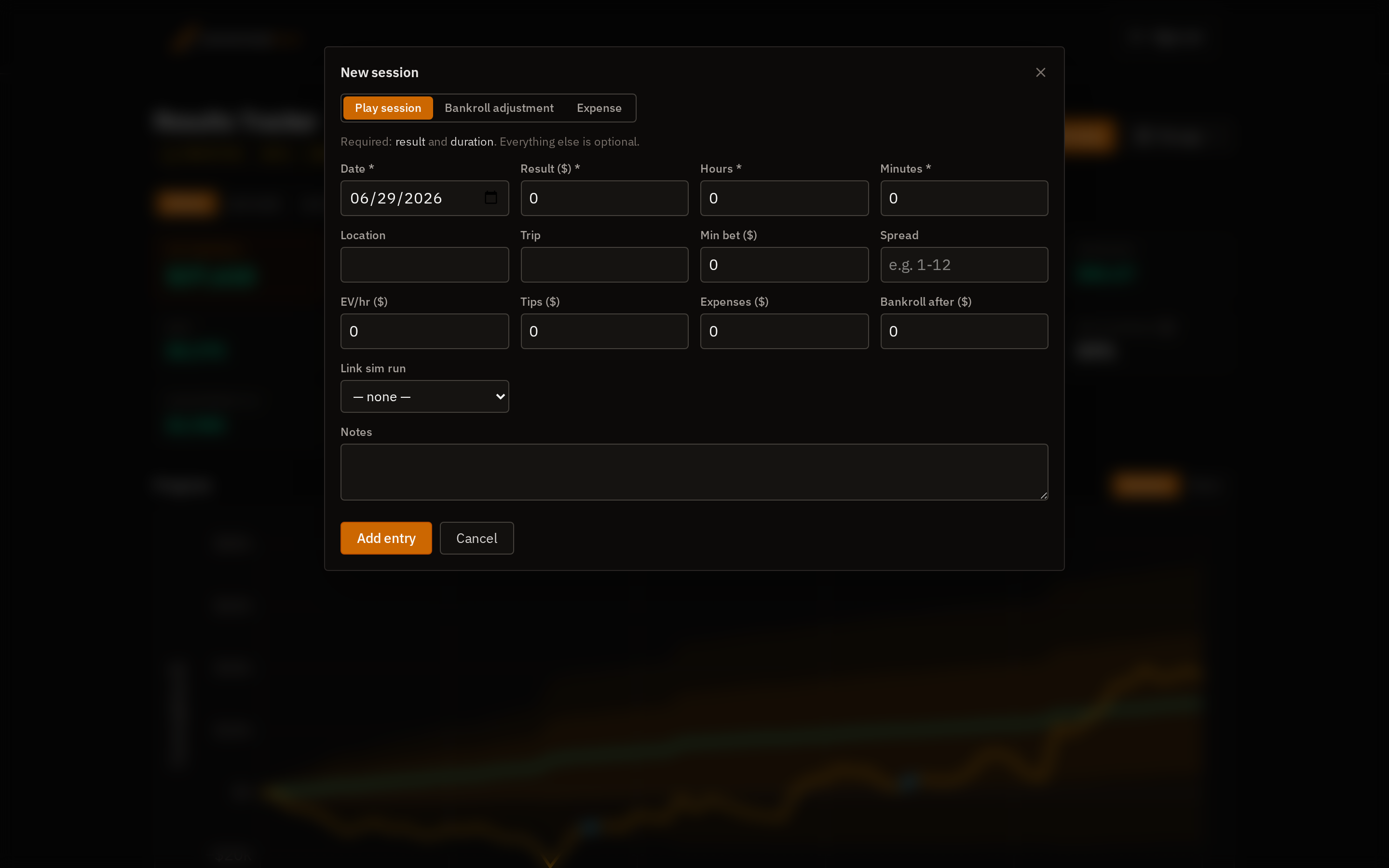
Log a session in seconds
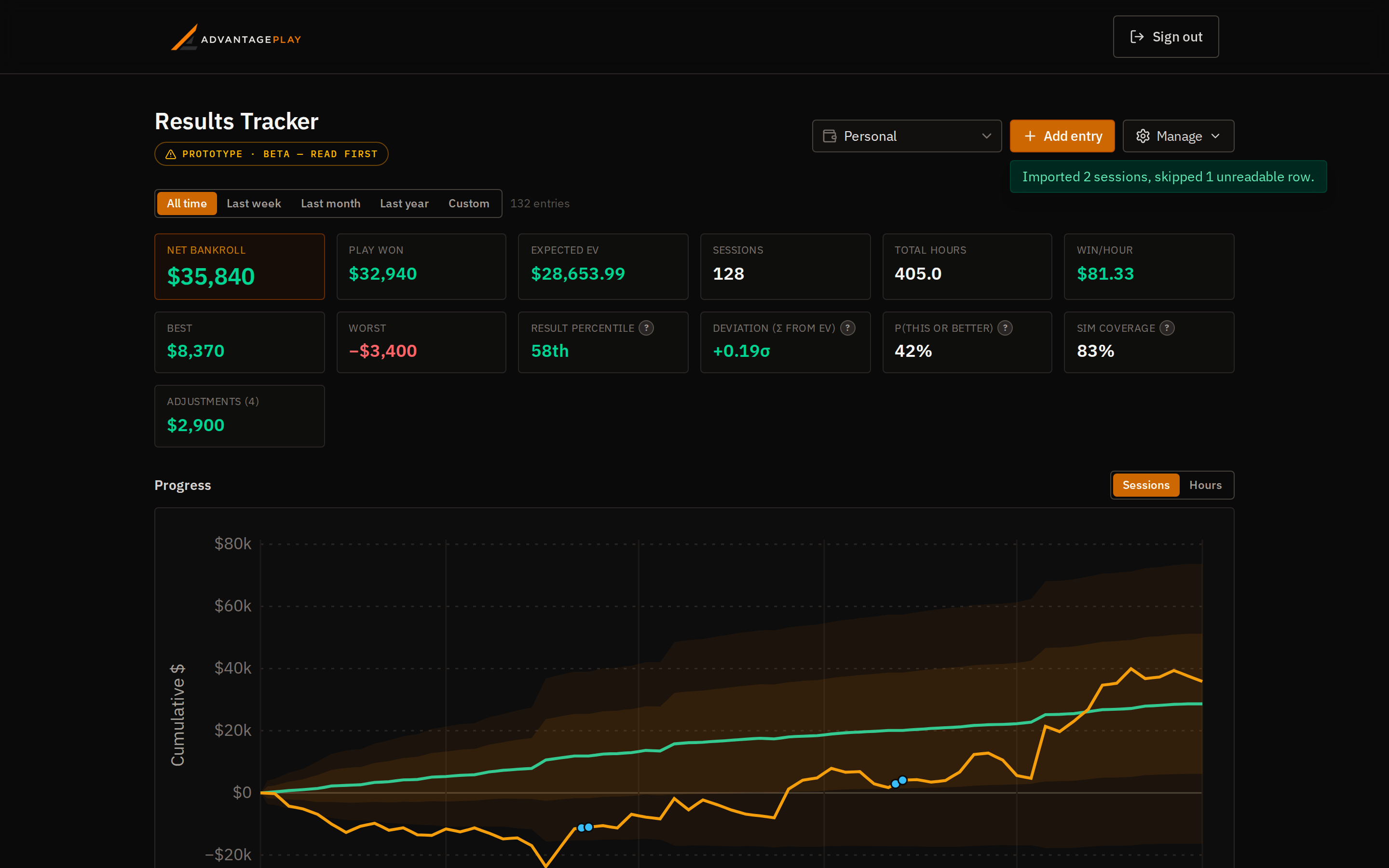
Only two things are required — what you won or lost and how long you played. Everything else (casino, trip, EV/hr, tips, expenses, min bet, spread, notes) is optional and can be filled in later. Entries open in a quick modal, and your net bankroll leads the stats dashboard alongside hours, win-rate per hour, and best/worst sessions.
Bankroll adjustments, not just sessions
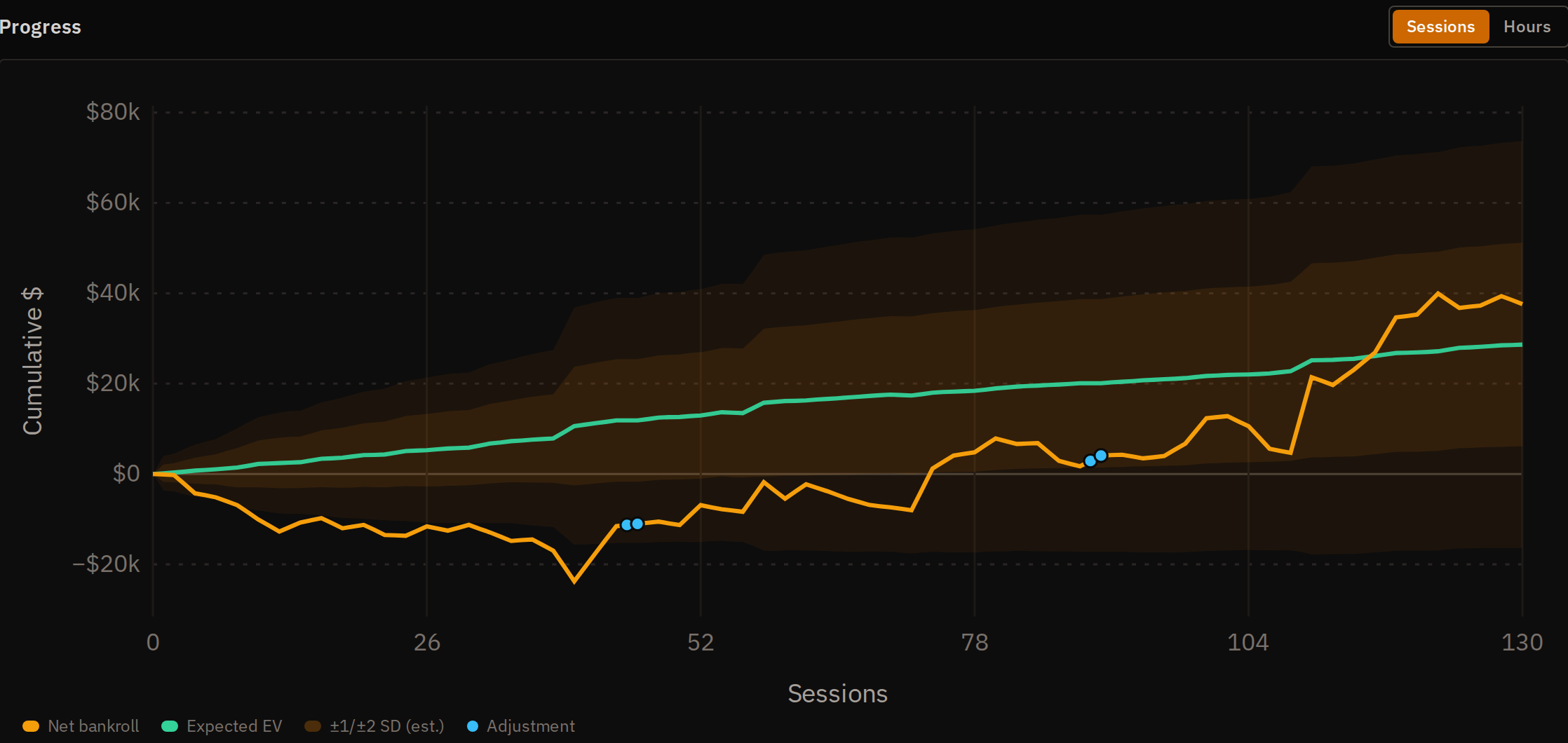
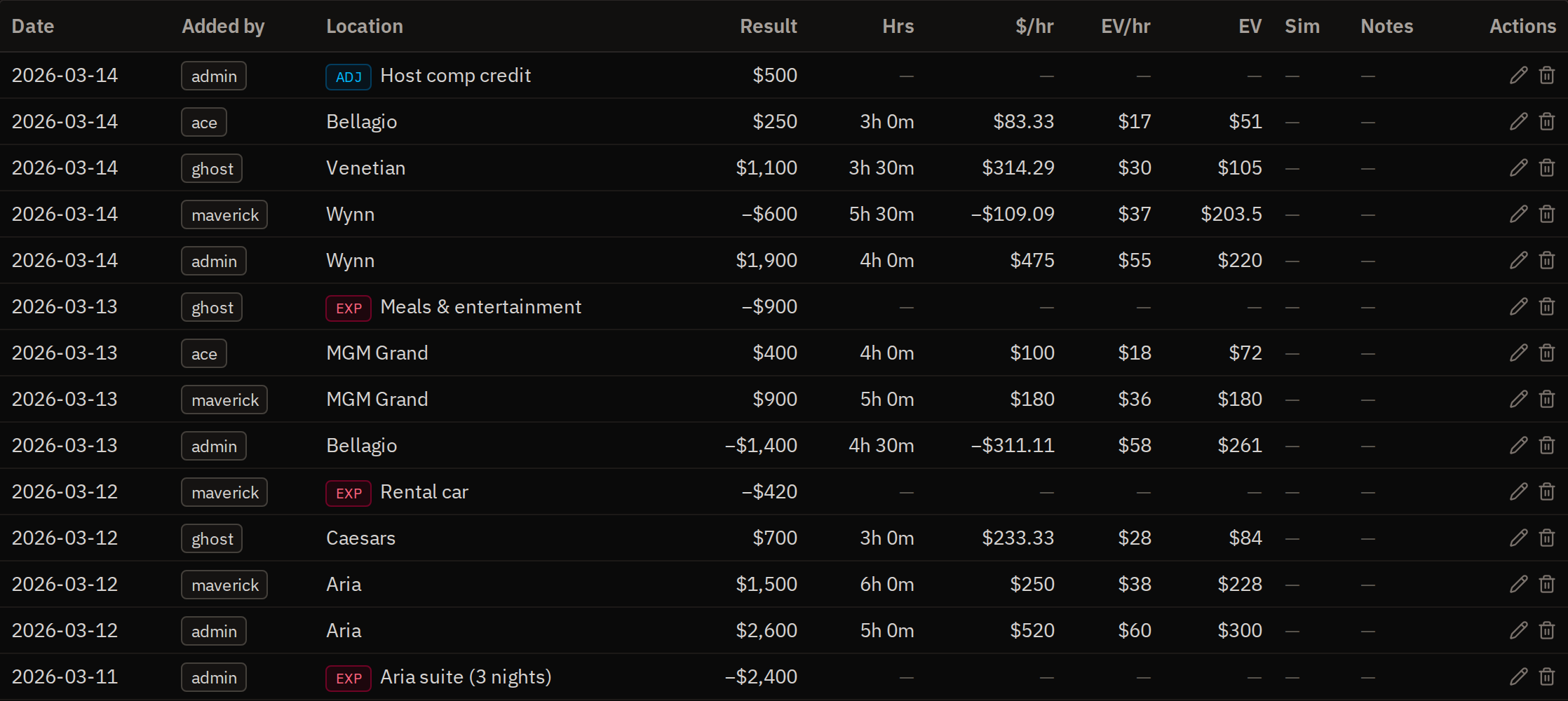
Payouts, comps, tournament cashes or manual corrections aren't play — so log them as bankroll adjustments (zero duration). They move your bankroll line but stay out of your hourly and EV statistics. On the chart they appear as distinct step markers so you can see exactly when money moved.
Track team expenses separately
Travel, lodging, scouting trips and other costs are their own entry type, kept apart from your play and your adjustments. Expenses are hidden from the bankroll graph by default, so a downswing on the curve is real losses rather than a flight you booked. Flip Show expenses to fold them in as downward steps. On a team bankroll they're also deducted before the payout is split, so what you divide is the real net.
Example data
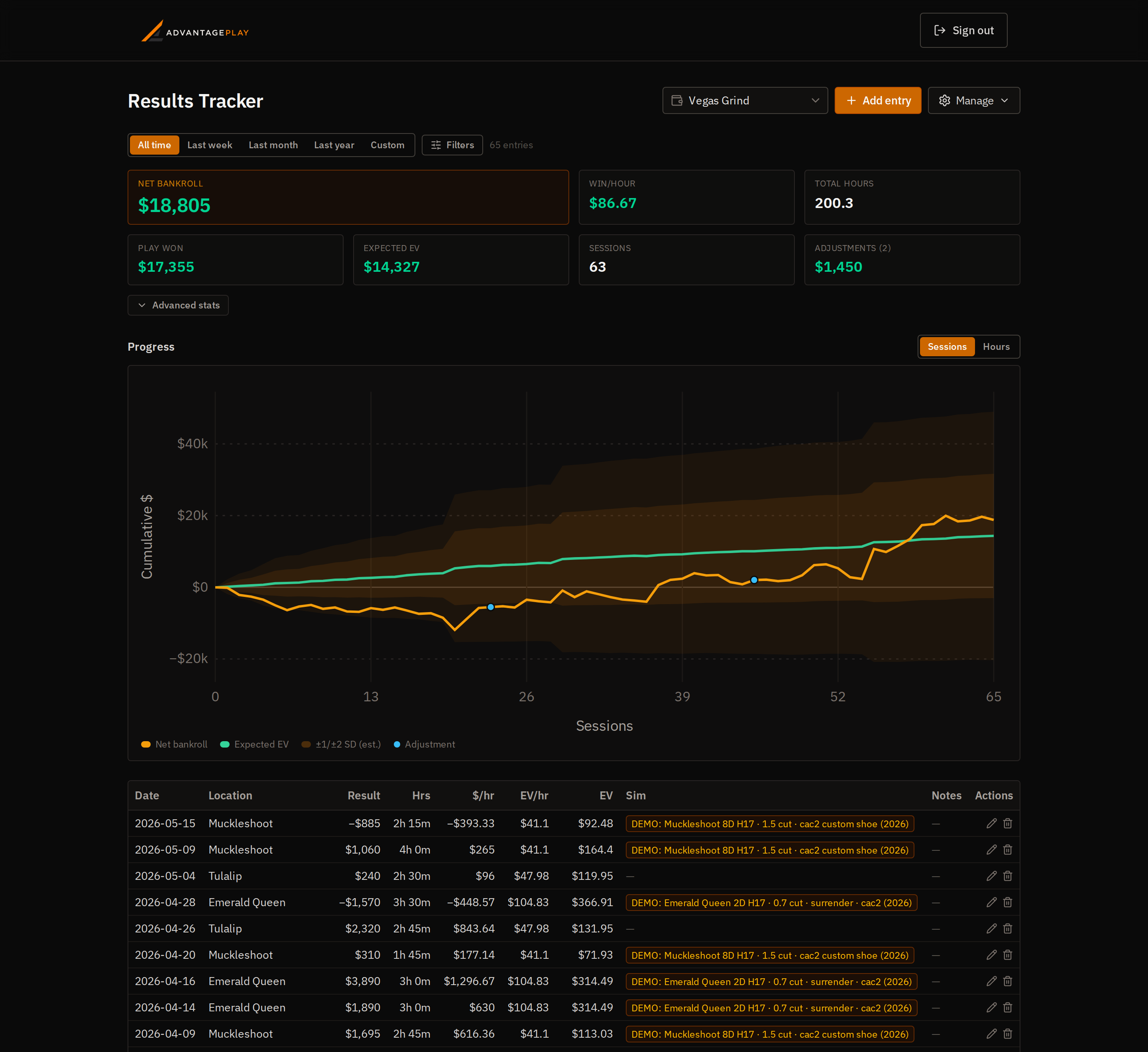
Your results vs. your own simulated EV
This is the part the other trackers can't do: because AdvantagePlay owns the Monte-Carlo engine, every session can be tied to one of your saved bet-spread sims. The chart then overlays a green Expected EV line and a ±standard-deviation band — assembled per session from each tied sim — against your realized bankroll. Sessions without a sim fall back to the EV/hr you entered, and the variance band only widens where a sim actually quantifies it. Toggle the x-axis between sessions and hours played; the curves animate between views.
Snapshots that survive a deleted run
When you link a sim, its EV/hr and SD/hr are snapshotted onto the session. Delete or re-run that simulation later and your historical comparison stays intact — the tracker keeps the numbers it compared against at the time.
Import from anywhere
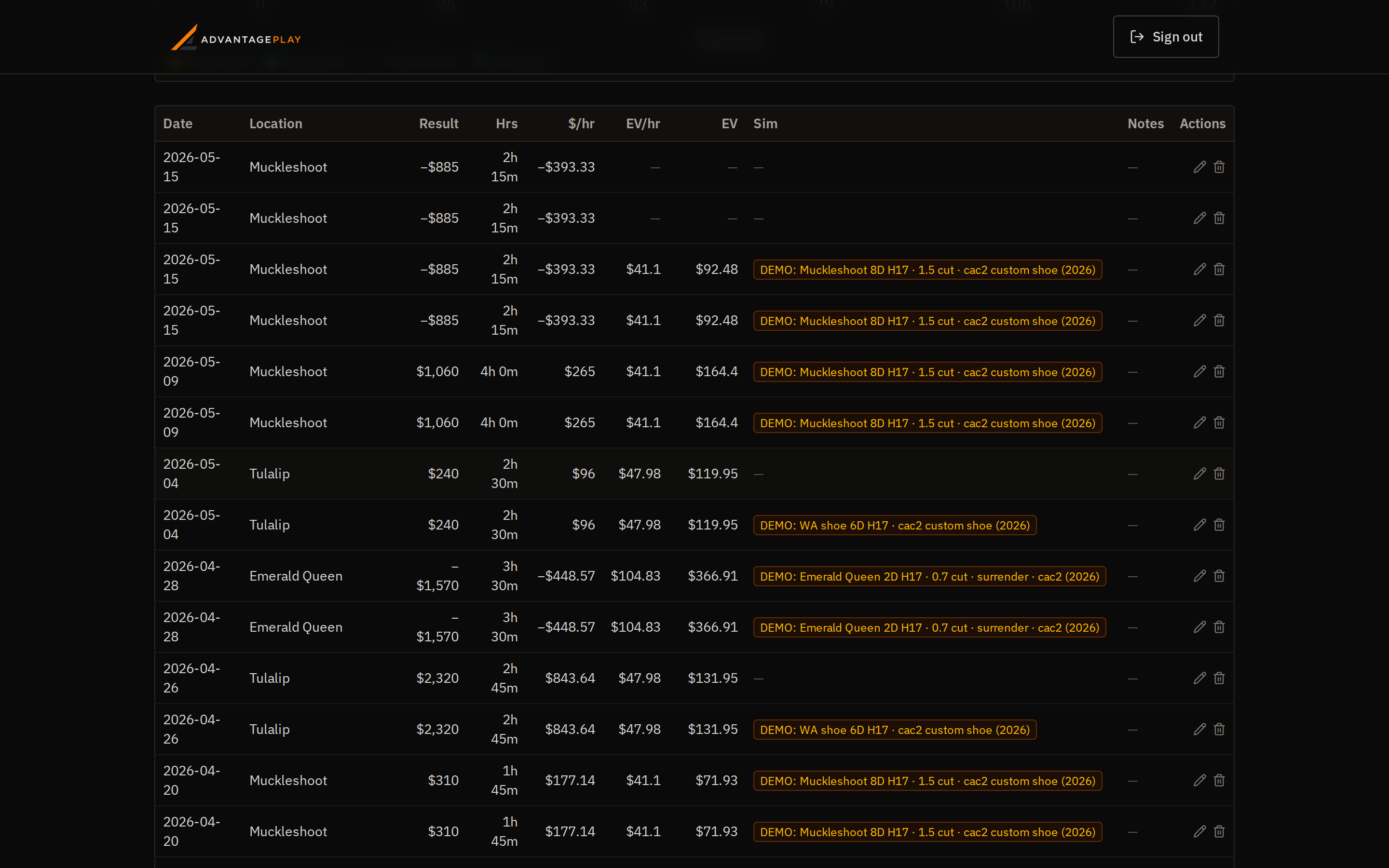
Coming from another tracker or a spreadsheet? Import your CSV. The parser tolerates missing columns and reads the common session-export layouts directly — it recognises an hourly-EV column and treats 0-hour payout rows as bankroll adjustments. Rows missing a date or result are reported and skipped so the good ones still import.
Export everything
Your data is yours. Export the full log to CSV at any time for spreadsheets, backups, or moving between tools.
Multiple & shared bankrolls (for teams)
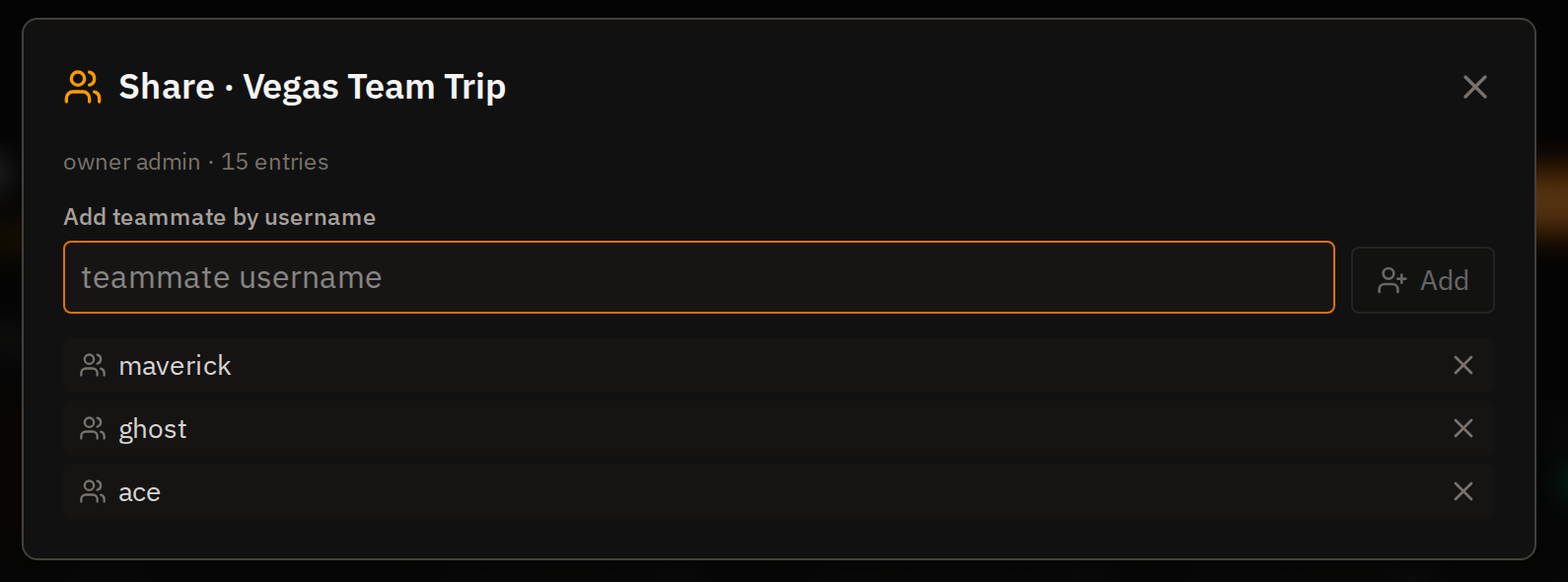
Keep separate bankrolls — a personal roll, a trip roll, a team bank — and switch between them. A bankroll can be shared by username: the owner adds teammates, everyone logs sessions against the shared roll, and each entry shows who added it. Members can view and contribute; only the person who logged an entry can edit it. When it's time to settle up, the team payout calculator below turns those logged sessions into each person's cut.
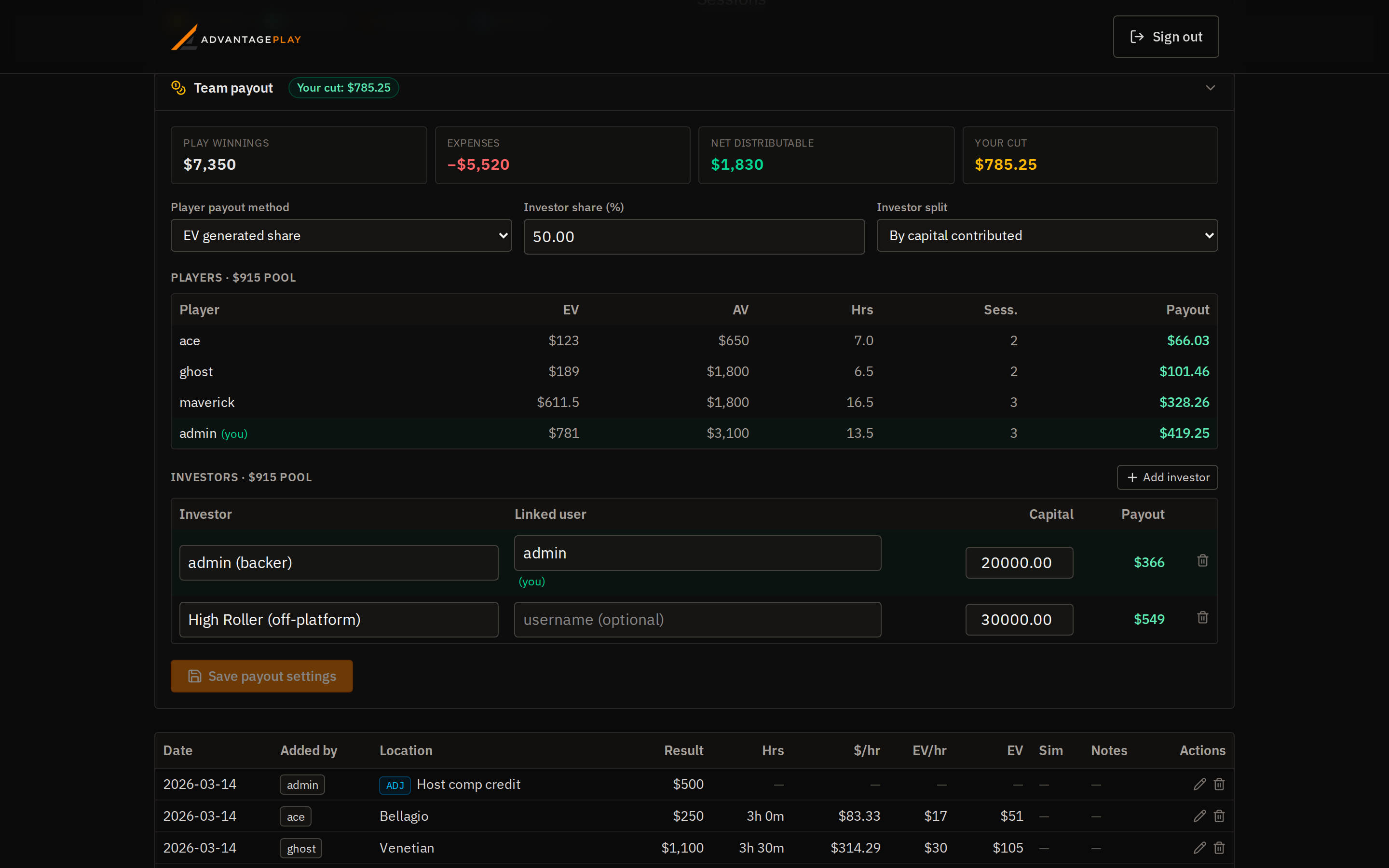
Split the payout between players and investors
Run a team and settling up is its own headache. The payout calculator does it from the sessions you already logged. The owner sets an investor share of net profit (50% by default), split among backers by capital contributed or by a percentage you assign. The rest is the player pool, divided however the team agreed: evenly, by EV generated, by actual results, by time played, by number of sessions, at an hourly rate, a fixed amount each, or a manual percentage per player. Every member sees what their cut currently works out to, and a backer who doesn't play still sees their investor share, so there's nothing to argue about at the end of a trip.